50 Cute Unicorn Coloring Pages for Kids: Smart Ways to Build a KDP Coloring Book That Sells
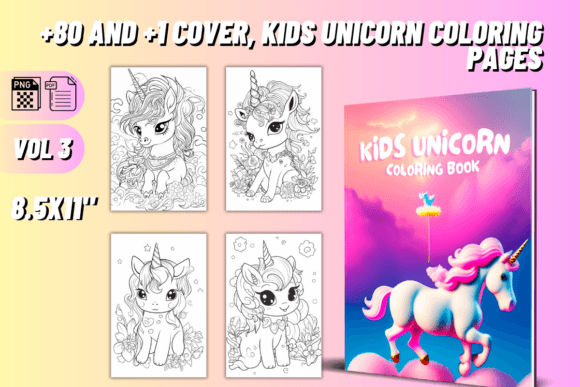
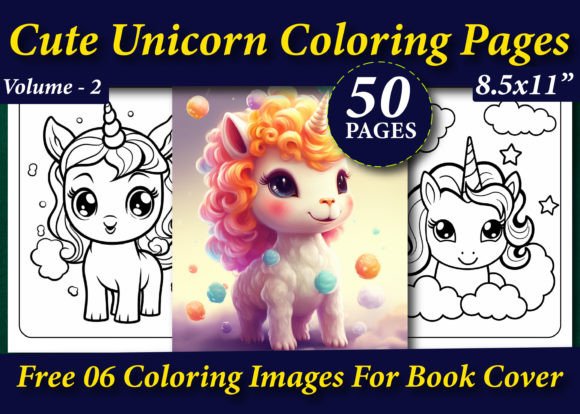
Unicorn coloring books never lose their sparkle, especially when you’re publishing on Amazon KDP. Parents, educators, and gift shoppers constantly look for fresh, engaging designs. The 50 Cute Unicorn Coloring Pages for Kids collection, together with 50 Cute Unicorn Coloring Pages For Kids Volume – 2, gives you a total of 100 high-resolution pages to build one or more unique interiors. You receive a ready-to-use .zip file containing .EPS, .PDF, and .PNG files at 300 dpi, sized at 8.5×11 inches, plus six free cover images. It sounds straightforward, but many creators trip over small yet critical details that separate a steady income stream from a book that never gets noticed. Let’s walk through what actually makes the difference, without the fluff.
The Real Reason These Unicorn Pages Work So Well for KDP
Coloring pages that feel generic don’t inspire repeat purchases. The appeal here comes from the Victor Illustration style, which balances cute expressions, clean outlines, and just enough whimsy to keep a child engaged. The designs aren’t overloaded with microscopic details that frustrate younger kids, nor are they too babyish for 7- and 8-year-olds. That sweet spot matters enormously when parents browse the “Look Inside” feature. If your interior looks professional and age-appropriate, you earn trust immediately. The 300 dpi resolution across all files also means you won’t face that dreaded blurry print complaint that tanks star ratings. And because you get both .PDF and .EPS formats, you can easily open, rearrange, or insert blank pages without converting files in a separate program.
Mistakes That Quietly Damage Your Book’s Potential
Even the cutest coloring pages can fail if you ignore the technical and creative side. Let’s look at the errors I see most often – and exactly how to avoid them.
Treating Every File Format as Interchangeable
It’s tempting to grab the PNG folder and upload directly to KDP without thinking about the .PDF or .EPS files. But each format serves a different purpose. PNGs are fantastic for preview mockups, social media promotion, or creating a low-content book cover with PhotoPea. The print-ready PDF, on the other hand, is already sized correctly and saves you from margin nightmares. The .EPS file preserves vector layers, which means you can adjust line thickness, change a crown size, or even separate elements if you have Adobe Illustrator or Affinity Designer. A common misstep is using a raster PNG as the final interior – KDP’s print process sometimes interprets the compression differently, leading to faint halos around characters. Instead, open the PDF directly in Kindle Create or use the PDF as your fixed-format source. If you want to customize anything, start with the .EPS file, then export your own crisp PDF. This extra step takes minutes but prevents the “fuzzy line” complaint in customer reviews.
Ignoring Bleed and Margins Until It’s Too Late
KDP asks for templates, but many creators assume an 8.5×11 interior means your artwork fills the whole page safely. These unicorn designs are sized for A4/8.5×11, but if you plan to publish with bleed, your final PDF must extend images slightly beyond the trim line. When you drop the PNG directly onto a Word document and export, you often lose edge-to-edge coverage, leaving a white border that shouts “homemade.” A more professional approach: use the included PDF as your base, and if you’re compiling a large book, open it in a PDF editor to add a consistent margin or bleed box before uploading. Even better, create your interior in a dedicated layout tool like Affinity Publisher using the .PNG files placed at the correct size with bleed settings turned on. This small habit prevents the return rate that comes from disappointed kids who can’t color to the very edge.
Forgetting the License Is Amazon-Only
The product note clearly states, “You can sell on it only Amazon kindle direct publishing.” Yet some buyers immediately list the same PDF bundle on Etsy, Teachers Pay Teachers, or their own website. That’s a quick way to run into copyright issues and platform suspensions. The license is built for KDP books – meaning you must create a finished coloring book interior or cover with these assets, print it on demand through Amazon, and sell the physical book. You cannot resell the digital files as a coloring page pack. A smarter move: use the six free cover images to design a completely fresh book cover for each volume, then blend the 50 pages from Volume 1 with 50 from Volume 2 to offer a giant 100-page unicorn activity book. That’s perfectly within the rights because you’re transforming the artwork into a new product. When in doubt, always read the usage terms twice before publishing anywhere outside KDP.
Publishing Without Customizing Anything
Stock interiors can sell, but they rarely become bestsellers if they look identical to twenty other listings. With the 50 Cute Unicorn Coloring Pages for Kids bundle, you have room to add personal touches. Insert a few “This book belongs to” pages at the beginning, sprinkle in coloring tips or unicorn fun facts every ten pages, or design a back cover that includes a cut-out unicorn mask. These small additions signal to a customer that your book is different. Another overlooked detail: the .EPS files allow you to change a unicorn’s mane color example on the page or remove the background if you want pure white around the character. You don’t need advanced illustration skills; even pasting the PNG onto a subtly textured background and exporting a new PDF can elevate the perceived quality. The mistake is assuming the raw files are as good as gold out of the box. They are gold, but a little polishing makes them unforgettable.
How These Mistakes Affect Your Business Over Time
It’s easy to brush off one or two technical shortcuts, but they compound. A book with inconsistent margins gets returned more often, which increases your KDP account health risk. A listing that uses only the free cover images without modification blends into a crowded search result. And if a customer receives a product where the coloring lines look soft because you uploaded PNGs instead of the press-ready PDF, they won’t leave a bad review just once – they might share photos in a parenting group. On the flip side, a crisp, well-assembled book using these unicorn pages consistently earns four- and five-star ratings, which Amazon’s algorithm picks up and rewards with better visibility. Your effort in the first hour of setup directly impacts whether the book earns passive income or fades after three lonely sales.
What to Check Before You Make a Decision
If you’re still evaluating whether this bundle fits your needs, run through a quick mental checklist. First, confirm your graphic software can handle .EPS files if you plan to customize; if not, the PDF and PNG are more than enough for a basic book. Second, decide whether you want a single volume or a deluxe combined edition – that helps you estimate print cost and royalty. Third, open a few sample pages on a tablet or large monitor to see how the lines appear at actual size. Fourth, read the download details again: you’re getting A4 8.5×11 inch pages at 300 dpi, fully tested on KDP, plus free cover images. If you ever feel unsure, download and print one page on your home printer at actual size; a quick test on copy paper reveals any scaling issues before you invest money in an author proof.
Making the Most of Both Volumes
The combination of 50 Cute Unicorn Coloring Pages for Kids and Volume – 2 opens up creative options beyond a single book. You could publish Volume 1 as a standard coloring book, then release Volume 2 as a “More Magical Adventures” sequel, building a simple series that ranks together in search results. Or create a “Unicorn Coloring Book for Toddlers” by selecting only the simplest pages from both volumes and leaving wider margins. For a completely different approach, use the pages as interior assets for a unicorn-themed journal or a parent-child coloring diary, where the left side has a coloring page and the right side has a lined writing area for stories. Because all files are print ready and share the same dimensions, mixing and matching across volumes requires no resizing. You simply drag, drop, and arrange.
The real advantage is that you’re not locked into a single product. The high-resolution assets give you reusable building blocks for multiple revenue streams, all within KDP, without ever needing to license additional art. And when you treat each book interior with the care it deserves – using the correct formats, respecting bleed, adding subtle customizations – you’ll consistently outperform competitors who took the faster, sloppier route. The unicorn niche is big enough for everyone, but the publishers who pay attention to these specifics are the ones who build a catalog readers trust.